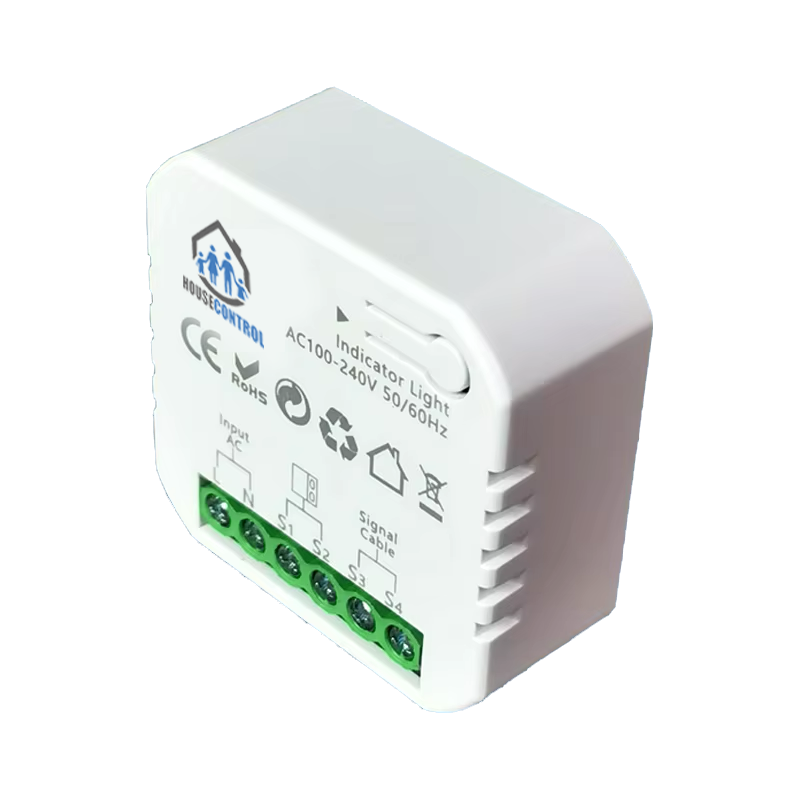

Garage Door Controller HC-ZGD1, compatible with HouseControl and all garage doors which has override open/close terminal
2 in stock (availability confirmed with order)
Order requests are not confirmed sales. HouseControl confirms availability, delivery and the final amount before payment.
PRODUCT DETAILS
Garage Door Controller HC-ZGD1
The Garage Door Controller HC-ZGD1 is a HouseControl OEM product. Its a Zigbee garage-door controller fully compatible with Home Assistant via Zigbee2MQTT network HouseControl supports.
As part of our Adelaide based HouseControl
Technical Specifications
Installation and configuration are product-specific options. The exact work and any exclusions will be confirmed with HouseControl engineers. Any electrical work is separately scoped and must be performed by an appropriately licensed electrician.
Parameter
Value
Input Voltage
AC100-240V,50/60Hz
Output
NO
Wireless Protocol
ZigBee
WiFi Frequency
2.4GHz
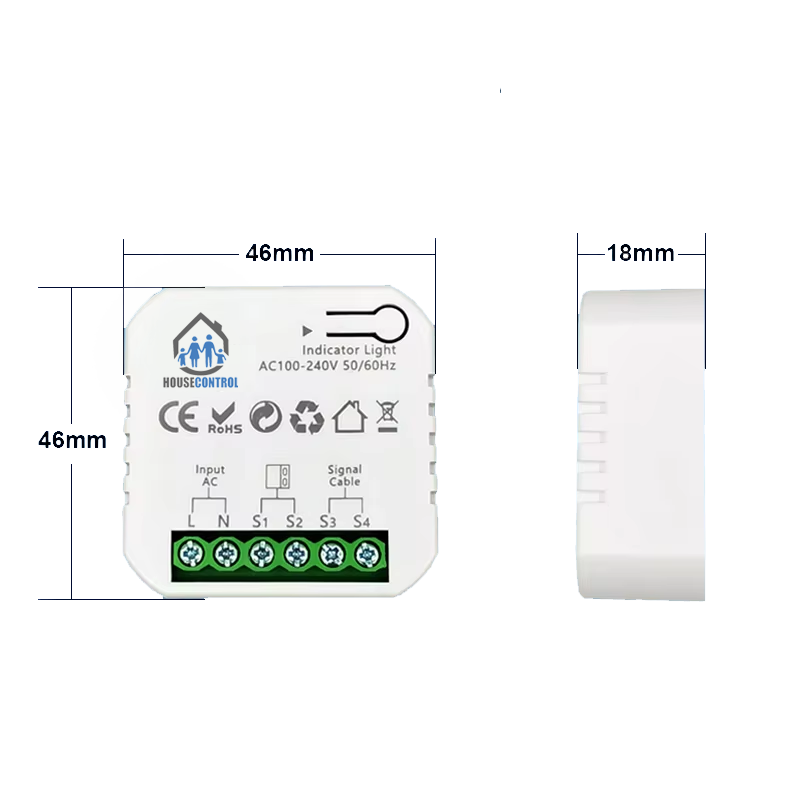
Size
46 x 46 x 18mm
IP Rating
IP20
Operation Temp.
-10℃ ~ +40℃
Maximum Radio Transmit Power
<+10dBm
How its connected
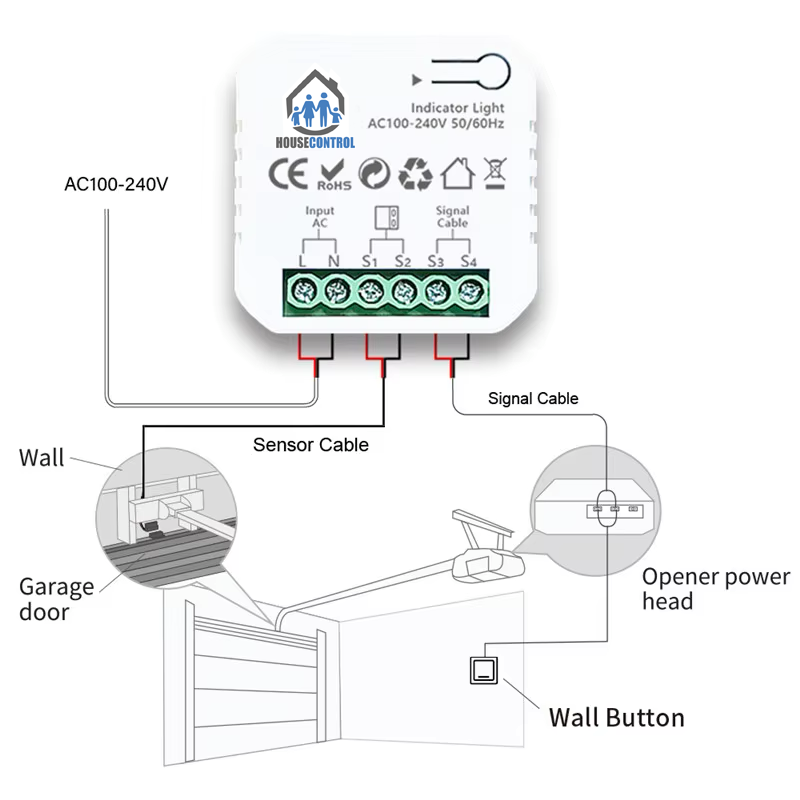
Garage Controller connects to the Garage Door Opener controller board. These boards almost always have a switch terminals to allow connecting a button to initiate opening and closing of the door.
Additionally the Garage Door Controller comes with a sensor which can be attached to the door to be able to detect and report back of the state of the door. This helps provide a feedback if the door is open or closed. Thus allowing further decisions or automation to be made based on that input i.e. When arming the house security check if garage door is closed or not and send notification to inform.
Possible Automations
Prevent house to be Armed if garage door is left open
Sent reminder if garage door is left open for over 1 hr
Automatically open garage door when Car AND Owner location changes to Home
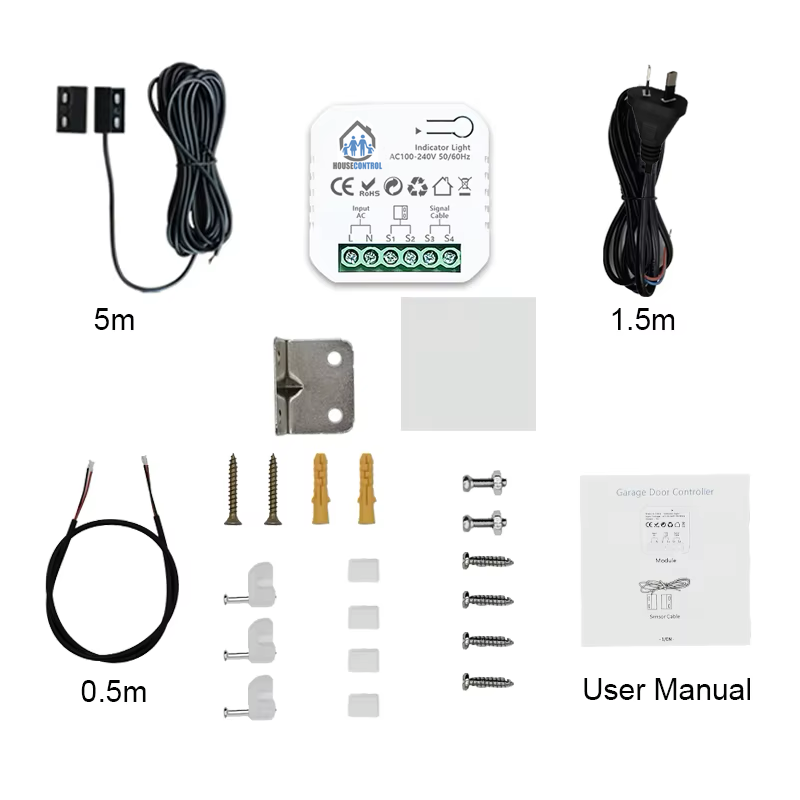
Whats included in the package
Installation Instructions
Turn off the power supply before carrying out any electrical installation work.
Locate closest free power point for the Garage Door Opener. Do not connect to power yet.
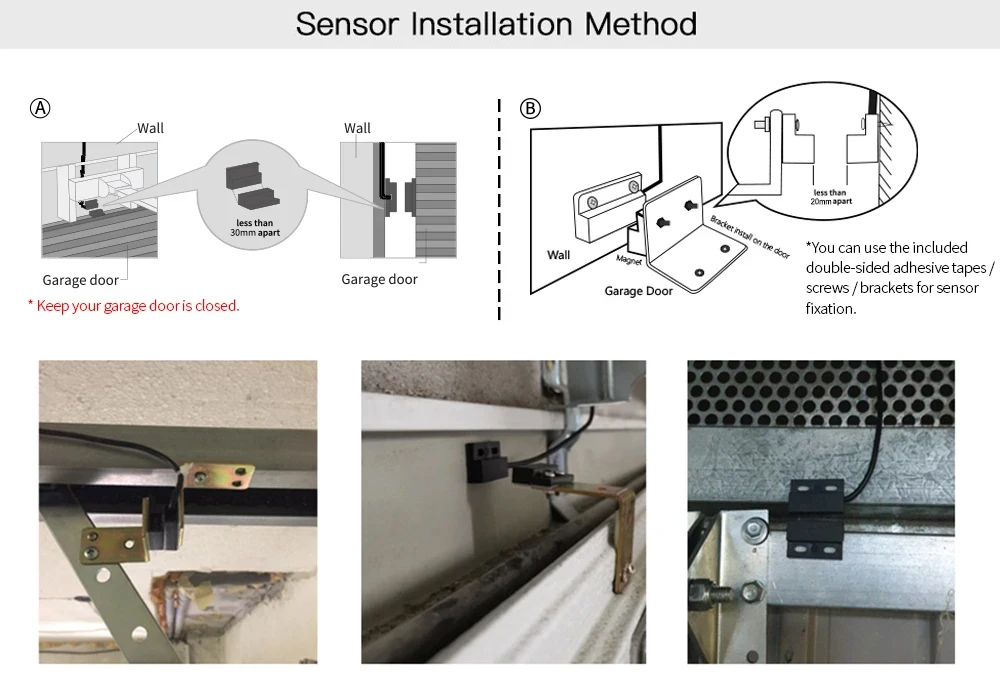
Connect the sensor cable to the Garage Opener terminals and route and install it at the close door position. Follow the installation photos.
Mount sensor to the bottom middle/side of the garage door and route the cable to the Garage Door Opener contact terminals. Use the provided double-sided adhesive tapes for the fixation if necessary.
Find a proper position on the garage door to mount the sensor (You can use the included double-sided adhesive tapes for sensor fixation or use screws and the bracket provided).
Please make sure the distance between the 2 sensors is less than 15mm when the garage door is closed, and the two sensors are well separated when the garage door is open. Should be less than 15mm apart.
Power off your garage roller/sliding door.
Connect the other end of the signal control cable to the two terminals that connects to the wall button or garage door opener (Some houses might not have garage door wall button). Cable wire position does not matter here.
Connect and Power on both garage door roller/sliding door and HouseControl Garage Door Controller
Log into HouseControl Portal > Zigbee2MQTT and press Permit Join. You have 5 minutes for the next step!
Press and hold the pair button on the garage door controller. Light should start blinking and the Garage Door Opener should become visible in Zigbee2MQTT under Recent Activity.
Setup the new device by giving it a unique name. Once added test if you can open and close the door from the newly added device.
Add a new switch entity in Home Assistant dashboard and choose the newly added HouseControl Garage Door Opener with its unique name
Availability and delivery
Currently we have 2 weeks pre-order time for this device
DIY WHEN YOU WANT. HELP WHEN YOU NEED.
Keep doing it yourself—or hand over the difficult part
We can help integrate your device and configure the automation remotely where your equipment and connection allow it.
01
Tell us about your setup
Share device model and the outcome you want—not passwords or access keys.
02
Agree the scope and cost
We check compatibility and explain any charges or applicable plan allowance.
03
Approve a temporary session or arrange a callout
We can arrange to connect remotely to your HouseControl device or visit and install it for you.
Intrigued by having a Smart Home?
If you’re not using HouseControl yet, send us an installation enquiry to see how we can set you up with smart-home automations.